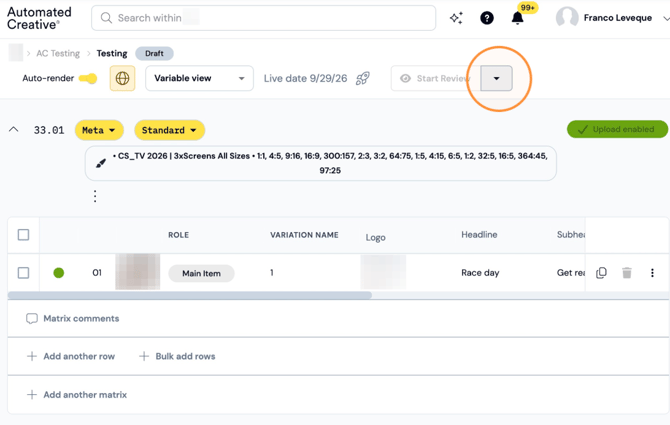
Step 1: Click this icon.
Step 2: Click "Clone Sprint"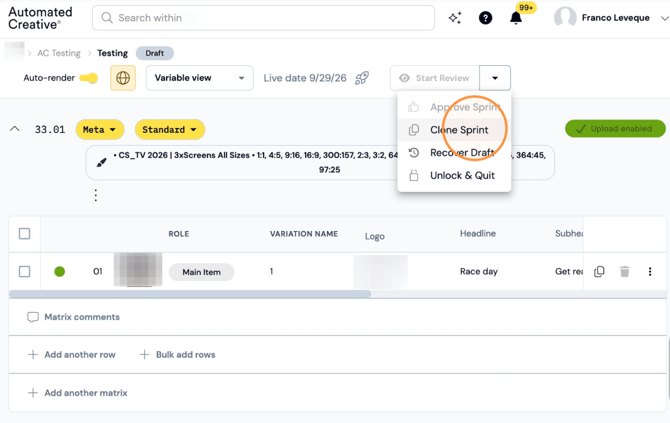
Step 3: Keep Brand and Project as they are, type your new sprint name and click "Clone Sprint". Creator will automatically open the new sprint on your current tab.
Clone a Sprint to a different Project (For Example: from Q3 to Q4)
Step 4: Click on the "Project field"
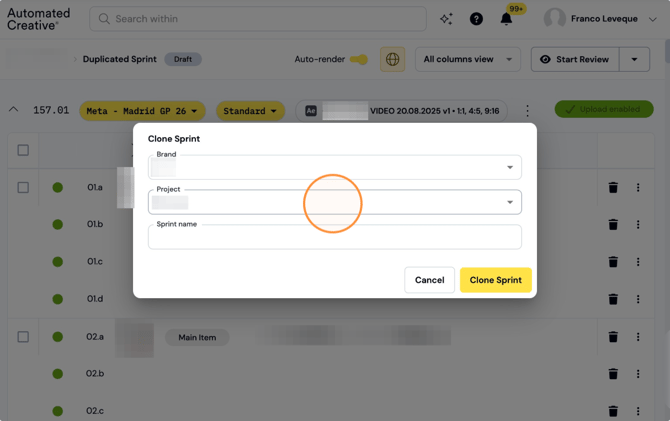
Step 5: Select the project where you want to clone your sprint to. 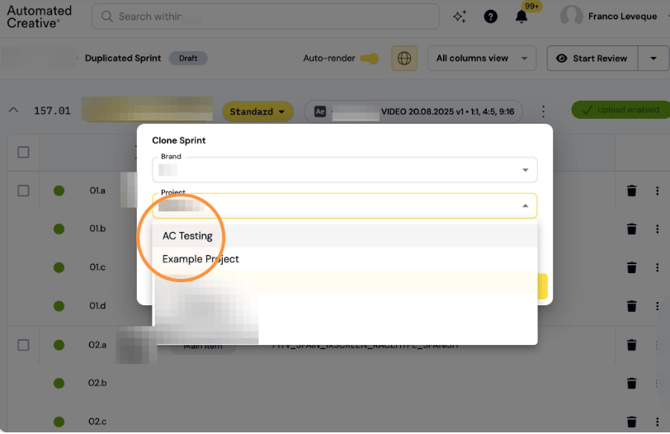
Step 6: Type your new Sprint name.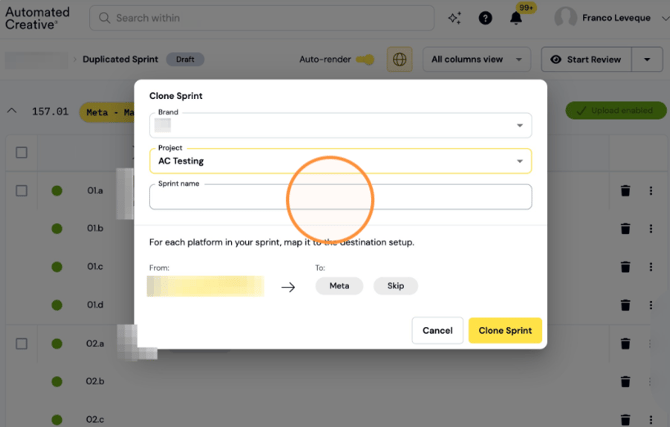
Step 7: Map your platforms to the destination setup. You'll need to have a platform set up on your other project to be able to do it (covered in another guide).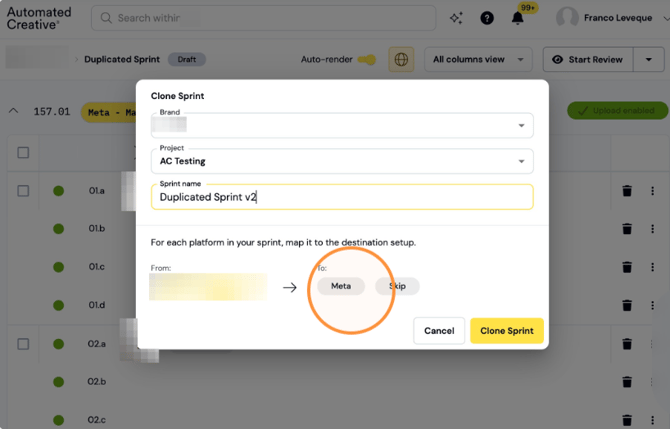
Step 8: Click "Clone Sprint"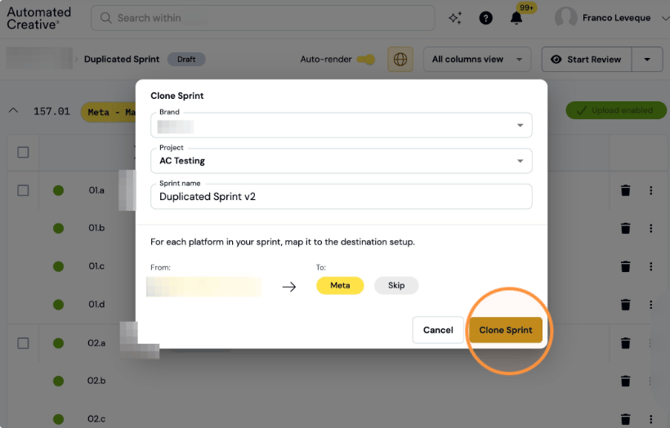
Clone a Matrix within the same Sprint: Instead of cloning the whole Sprint you can clone just one Matrix and keep all the data.
Step 9: Click this icon.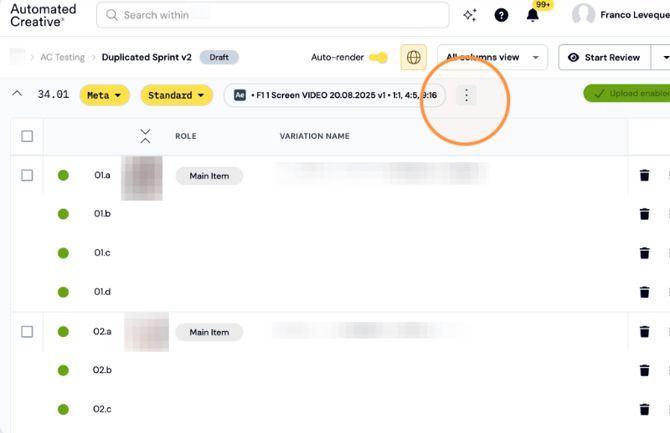
Step 10: Click "Copy matrix within this sprint"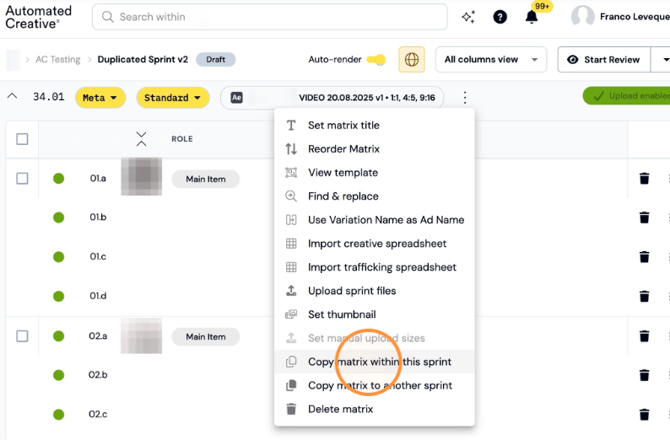
Step 11: Select how many copies you want of that matrix and click "Submit"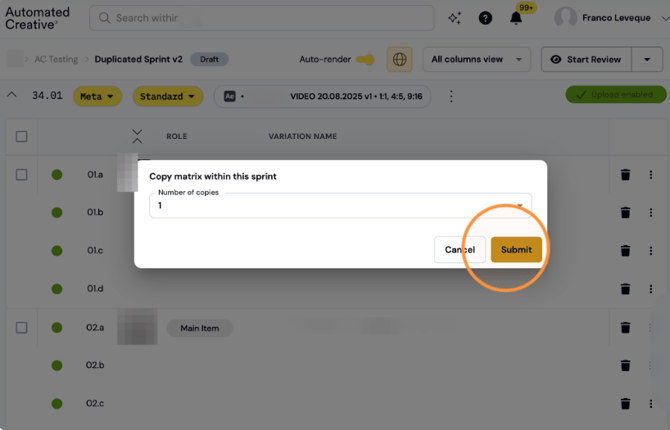
Copy Matrix to another Sprint: Same as above, you copy only one Matrix to another existing sprint or create a new sprint with that new Matrix only.
Step 12: Click this button.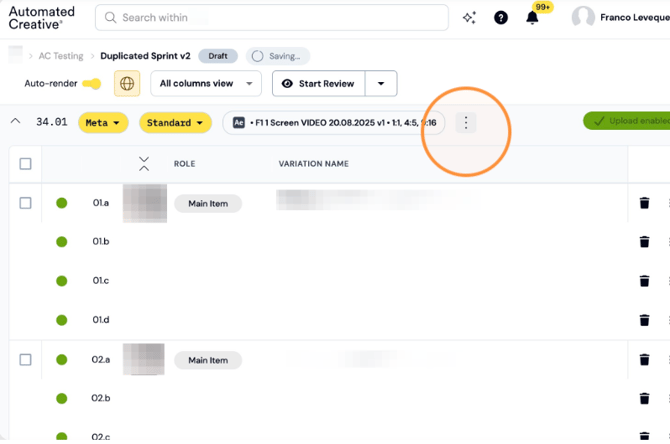
Step 13: Click "Copy matrix to another sprint" 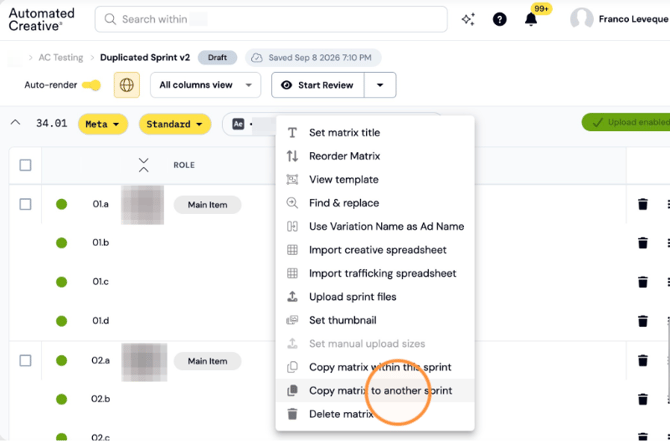
Step 14: Option 1: "A new sprint". Type your new sprint name, click Submit.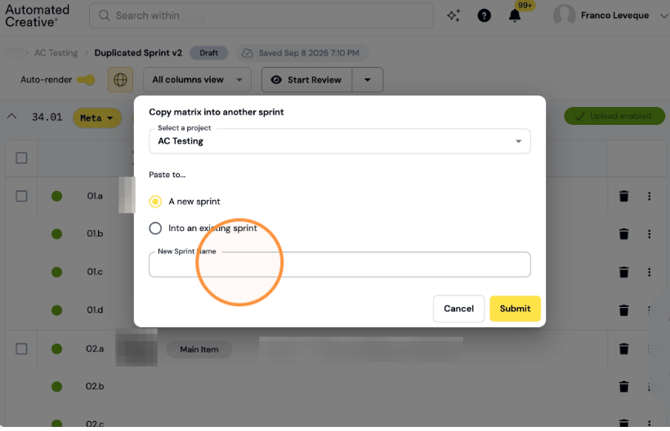
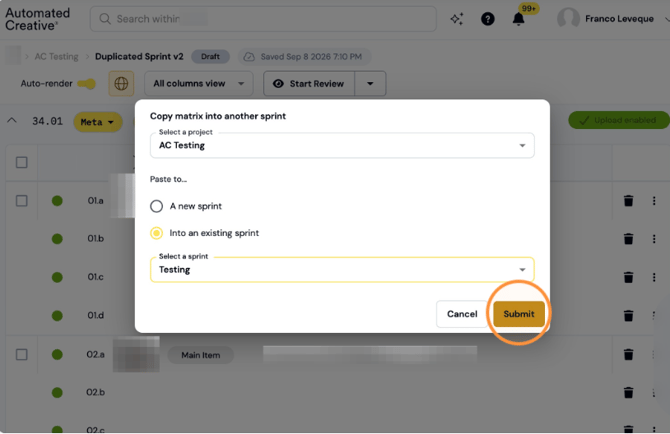
Step 15: Option 2: Click "Into an existing Sprint"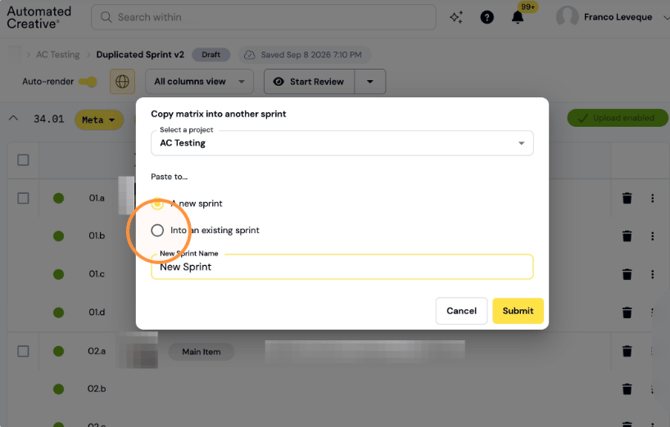
Step 16: Click "Select a sprint"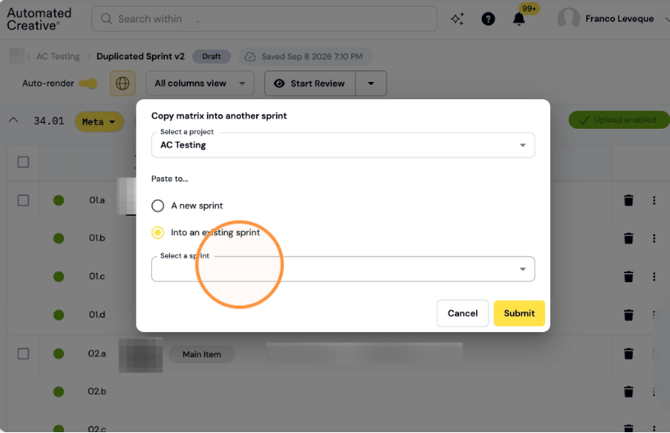
Step 17: Select an existing sprint from the list.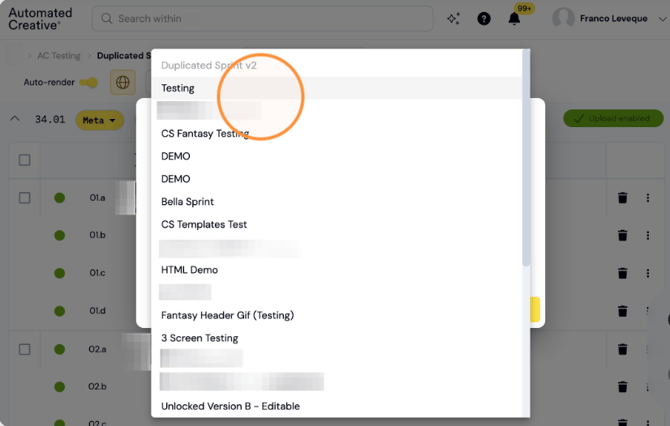
Step 18: Click "Submit"