
Sending a review link lets others preview the ads before they're uploaded, so they can check everything looks right and approve it before you run the sprint.
Flag: All your ads must be rendered or manually uploaded to the sprint in order to be able to start a review.
Create a Review Link
Step 1: Click "Start Review" 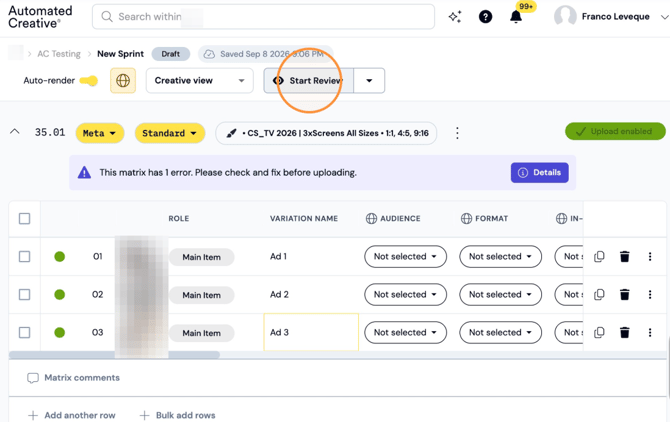
Step 2: Click "Start review" 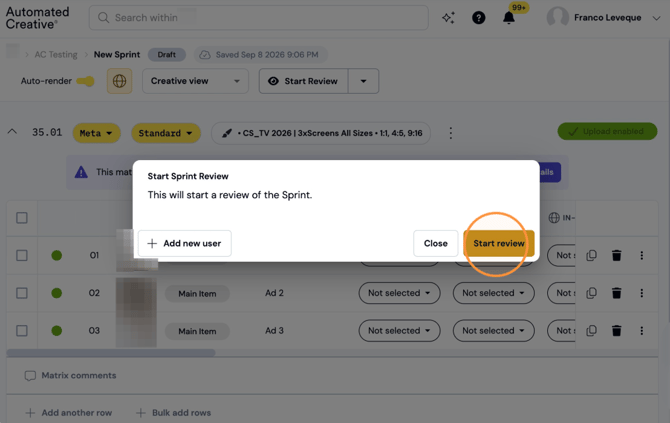
Flag: The other person will need to be a user in Creator, if they do not have a user already click add a new user or contact your AC team for help.
Step 3: Click "Copy Review Link"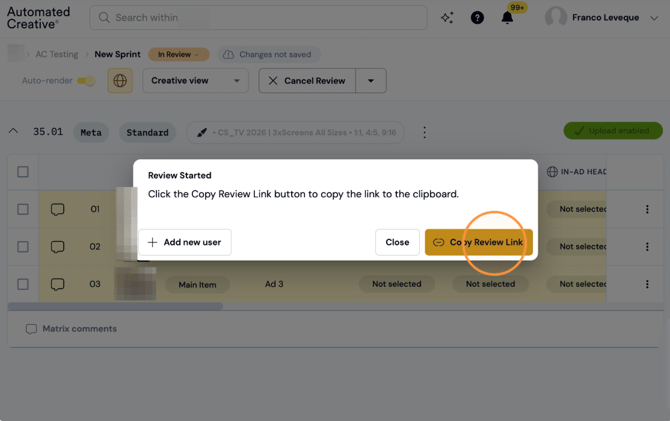
Step 4: Share the review link with all the people that you want to QA your sprint and tell them to follow the instructions.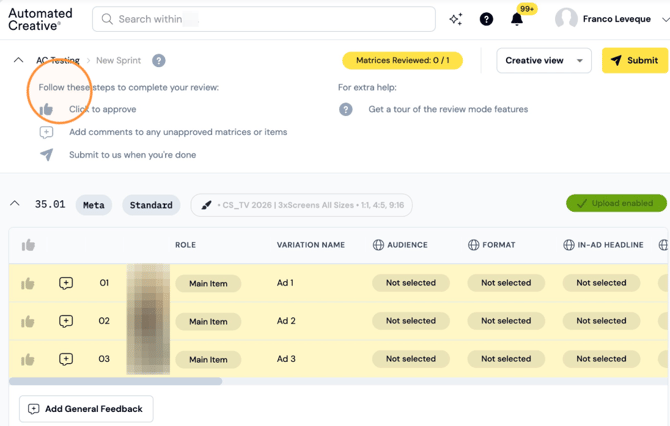
Step 5: You can also get a guided tour on how it works.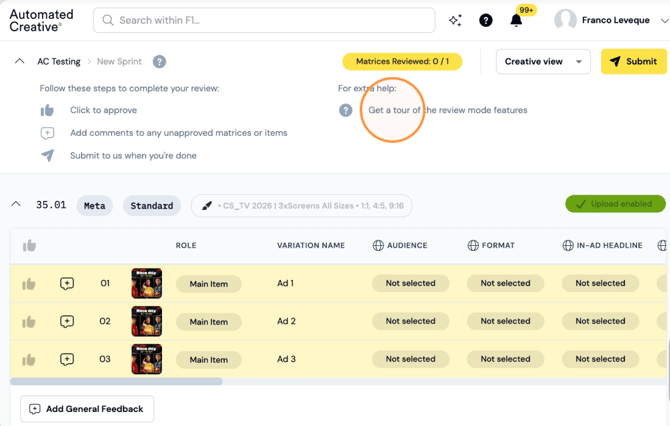
Give Feedback or Approve Ads on a Review Link
Step 6: Change within views to review all the data.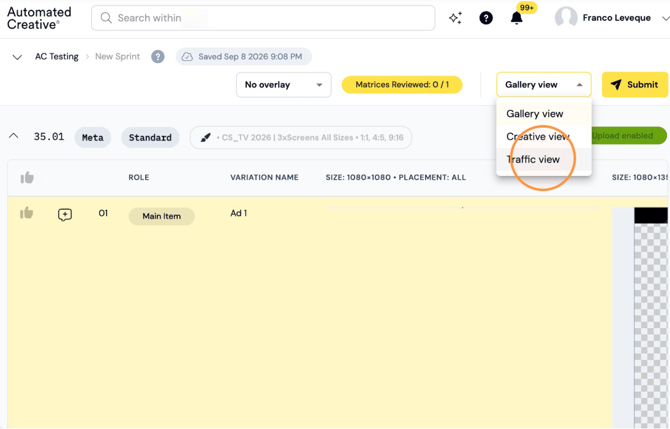
Step 7: Click to approve one ad.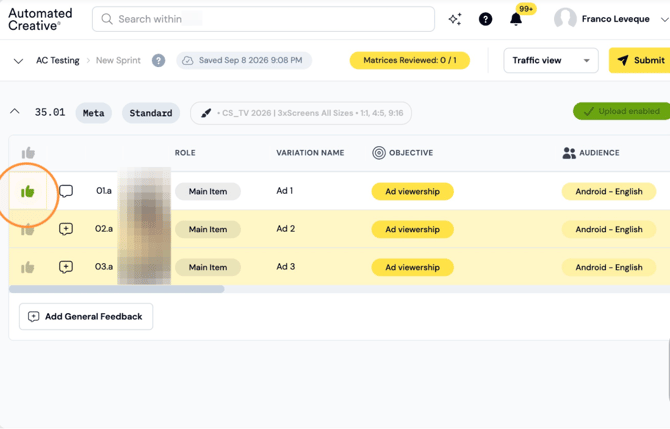
Step 8: Click to approve all ads on the matrix at once.
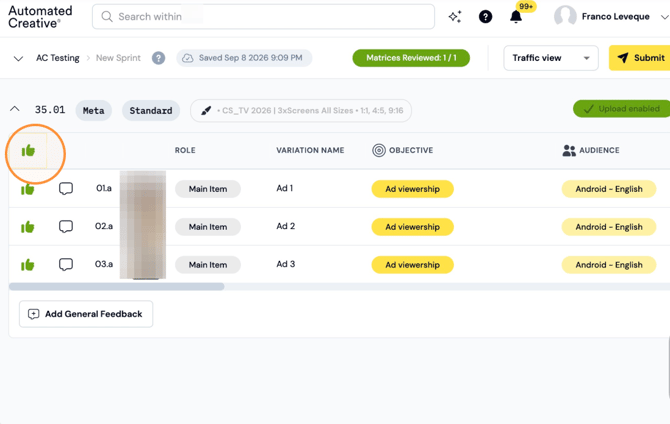
Step 9: Click to make a specific comment on an ad.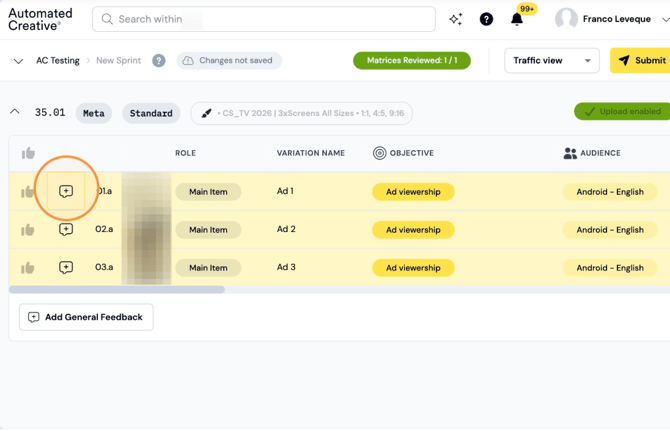
Step 10: Type your comment and click "Add comment". You can also attach an image to use as reference.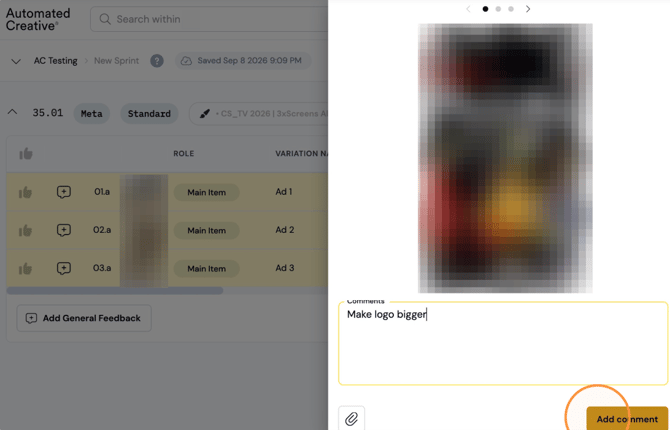
Step 11: Click to "Add General Feedback" to all the ads in one matrix.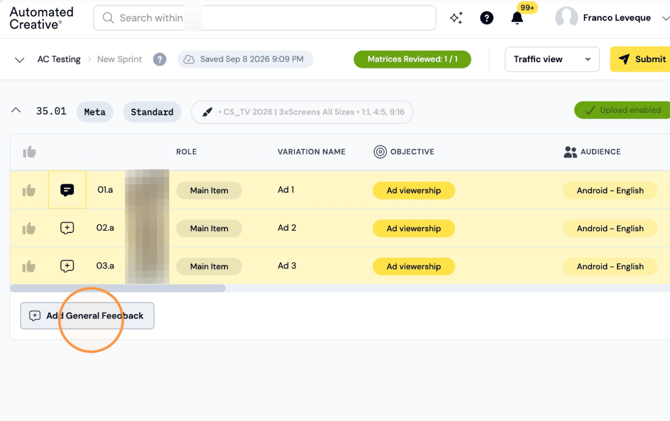
Step 12: Type your feedback and click "Add comment"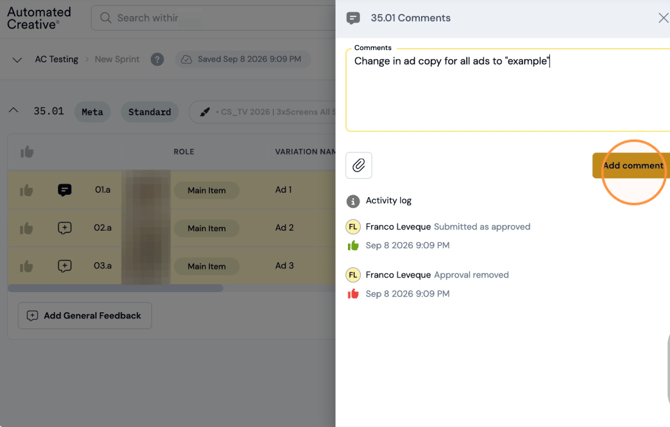
Step 13: After approving all the ads or giving feedback, click "Submit"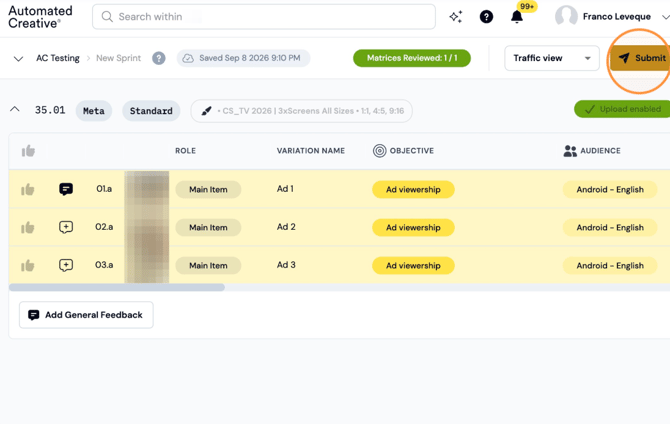
Step 14: Click "Confirm & Send"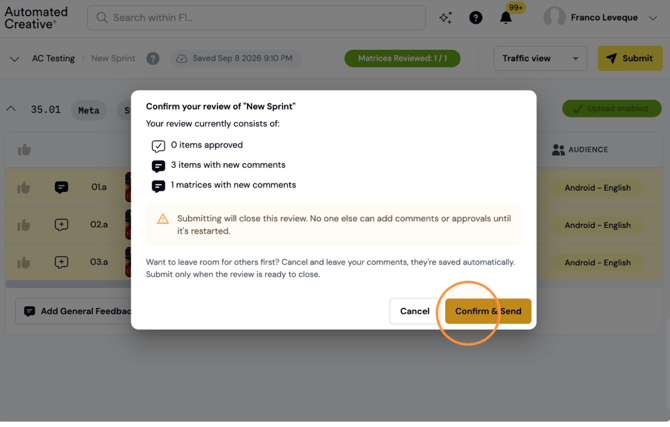
Flag: Submitting will close this review. No one else can add comments or approvals until it's restarted.
Note: Want to leave room for others first? Cancel and leave your comments, they're saved automatically. Submit only when the review is ready to close.